Is 8th Gen Core i5 Still Worth Buying in 2026 in Pakistan?
A practical guide to what an 8th Gen Core i5 can still do in 2026, which software and workloads suit it, how much to spend in Pakistan, and when a newer laptop is better value.
- Core i5 8th Gen
- Used laptops
- Laptop prices in Pakistan
- Buying guide
- Programming
Last updated: October 20, 2026
At a glance
Quick Summary
Yes, an 8th Gen Core i5 laptop is still worth buying in Pakistan in 2026, especially if your budget is tight. But it depends on what you plan to do with it.
- Good for
- Students, teachers, office workers, freelancers, content writers, and people learning programming.
- Runs well for lighter workloads
- MS Office, Google Chrome, Zoom, VS Code, Python, basic web development, Canva, Figma, and light Photoshop work.
- Not ideal for
- Heavy video editing, modern AAA gaming, large 3D projects, AI model training, or running several development tools and virtual machines together.
- Recommended specs
- 16GB RAM and at least a 256GB SSD. An 8GB model is fine for lighter work.
- Budget
- Consider an 8th Gen laptop around Rs. 45,000–60,000, depending on its model, condition, and specifications. Premium models can cost more, and an 11th Gen deal can sometimes cost less than an 8th Gen model.
- Better alternative
- If you can spend Rs. 65,000–100,000 or more, compare 11th and 12th Gen laptops before deciding. Check lower-priced 11th Gen listings too: our recorded Latitude 5420 offer is Rs. 51,000.
Laptizo’s Insight
If you would rather start with your budget and workload, use the Laptizo Laptop Finder Quiz to build a shortlist from our recorded seller configurations.
So, Is an 8th Gen Core i5 Too Old in 2026?
The 8th generation of Intel Core processors came out around 2017–2018. The earliest laptops using these processors are roughly eight or nine years old in 2026, although some later laptop models using 8th Gen chips are younger.
Sounds old, right?
But here's the thing. An old processor doesn't automatically mean a slow laptop.
Many common 8th Gen Core i5 laptop processors, such as the i5-8250U and i5-8350U, have four cores and eight threads. That is enough processing power for many everyday tasks.
A laptop with one of these processors, 16GB RAM, and an SSD can still feel quite responsive.
Of course, it won't perform like a modern laptop. Apps that need more processing power or better graphics will expose its age.
So, instead of asking whether the processor is old, ask yourself a better question:
Will this laptop handle the work I actually do?
Let's find out.
What Can You Do With an 8th Gen Core i5 Laptop?
For many people, an 8th Gen Core i5 is still enough. You don't need the latest processor to write documents, attend online classes, build websites, or run a small business.
Here's a practical breakdown.
| Your work or skill | Software you can use | Expected experience |
|---|---|---|
| School and university work | MS Word, Excel, PowerPoint, Google Docs | Runs well |
| Online classes | Zoom, Google Meet, Microsoft Teams | Runs well |
| Content writing and blogging | WordPress, Notion, Grammarly, Google Docs | Runs well |
| Web development | VS Code, HTML, CSS, JavaScript, React | Good for small to medium projects |
| Python programming | Python, VS Code, Jupyter Notebook | Good for learning and small projects |
| Freelancing | Chrome, Upwork, Fiverr, Slack, Trello | Runs well |
| Graphic design | Canva, Figma, basic Photoshop | Good for light projects |
| Digital marketing | Google Ads, Meta Ads Manager, Search Console | Runs well |
| Accounting | Excel, QuickBooks, basic accounting software | Good for everyday work |
| Online selling | Shopify, WooCommerce, Daraz Seller Center | Runs well |
| Entertainment | YouTube, Netflix, VLC | Good for everyday viewing |
These are general expectations for a healthy 8th Gen Core i5 laptop with an SSD and enough RAM. Performance depends on the software version, project size, and number of apps running together. Check the current requirements of the software you intend to use.
1. For students
If you're a student who needs a laptop for assignments, presentations, research, and online classes, an 8th Gen Core i5 is still a sensible choice.
You can open PDFs, prepare PowerPoint presentations, attend Zoom classes, and browse educational websites.
Even university students learning basic programming can start with it.
However, students working with heavy engineering software, advanced 3D design, or large data projects may need something more powerful.
2. For programming and web development
Here's some good news for beginners.
You don't need an expensive laptop to learn coding.
An 8th Gen Core i5 can handle HTML, CSS, JavaScript, Python, and basic React development.
You can use VS Code, Git, GitHub, Node.js, and local development servers.
If you're building simple websites, learning frontend development, or creating small web applications, it should work well.
But as your projects grow, things may slow down.
For example, running a large Next.js application, several Docker containers, a local database, and many Chrome tabs at the same time can push the laptop beyond its comfortable limits.
Our suggestion? If programming is your main work, get 16GB RAM rather than 8GB.
3. For graphic design
If you're learning graphic design, an 8th Gen Core i5 can help you get started.
Canva, Figma, and basic Photoshop projects are usually manageable.
You can create social media posts, banners, thumbnails, simple logos, and website mockups.
However, large Photoshop files, complex Illustrator projects, and heavy effects can become slow, especially on laptops with only 8GB RAM.
4. For freelancers and office workers
This is where an 8th Gen Core i5 still makes a lot of sense.
If your work includes writing emails, preparing reports, managing websites, using Excel, or communicating with clients, you probably don't need a much more expensive laptop.
A good SSD, enough RAM, and a healthy battery may matter more to your daily experience than buying a newer processor.
What Can't an 8th Gen Core i5 Handle Smoothly?
Now for the other side.
An 8th Gen Core i5 isn't suitable for every type of work. Most budget business laptops using this processor have older Intel integrated graphics, which limits demanding creative work and gaming.
Here's where you may run into problems.
| Software or workload | What to expect | Better choice |
|---|---|---|
| Adobe Premiere Pro (modern versions) | Heavy effects and high-resolution editing can be very slow | Newer CPU with a capable GPU |
| DaVinci Resolve | Demanding editing and effects may run poorly or face graphics limitations | Laptop with a capable dedicated GPU |
| After Effects | Complex compositions and previews can be slow | Modern CPU, 32GB+ RAM for demanding work |
| Blender | Complex 3D scenes and rendering can take a long time | Modern CPU and dedicated GPU |
| AutoCAD 3D | Heavy models may lag | Newer workstation-class laptop |
| Revit | Large building models can struggle | Modern CPU with sufficient RAM and graphics |
| Android Studio with emulator | Can work, but builds and emulation may feel slow | Newer CPU, 16–32GB RAM |
| Docker and virtual machines | Multiple containers or VMs can overwhelm CPU and RAM | Modern processor with more RAM |
| Modern AAA games | Many games will be unplayable or perform poorly on integrated graphics | Gaming laptop with dedicated GPU |
| Local AI models | Larger models may run extremely slowly or not fit in memory | Machine with more RAM and suitable GPU |
One important point: Some of these programs may install and open, but that doesn't mean they'll run smoothly. Certain newer versions may also have hardware requirements an older laptop cannot meet.
For context, Adobe's Premiere requirements recommend an 11th Gen Intel processor or newer with Quick Sync, 16GB RAM for HD work, and 32GB or more for 4K. GPU, operating-system, and storage requirements also matter. For Android development, check the current Android Studio and emulator requirements rather than treating the processor generation as the only requirement.
What about video editing?
If you only need to trim videos, add captions, or edit short clips using lightweight software, an 8th Gen Core i5 may be enough.
But if you want to edit 4K videos, use many effects, or work professionally in Premiere Pro or DaVinci Resolve, buy something more powerful.
What about gaming?
You can still play lighter or older games, depending on the laptop's graphics.
But don't buy a typical 8th Gen Core i5 business laptop expecting it to handle modern games smoothly.
And remember, not all 8th Gen laptops are equal. A model with dedicated graphics may perform much better in games than one with Intel UHD graphics.
Best 8th Gen Core i5 Laptops to Consider in Pakistan
If you've decided that an 8th Gen Core i5 is enough, the next step is choosing the right model.
We suggest starting with used business laptops from Dell, HP, and Lenovo. These were originally designed for regular office use.
Here are some models worth comparing.
| Laptop model | Screen size | Best for | Why consider it |
|---|---|---|---|
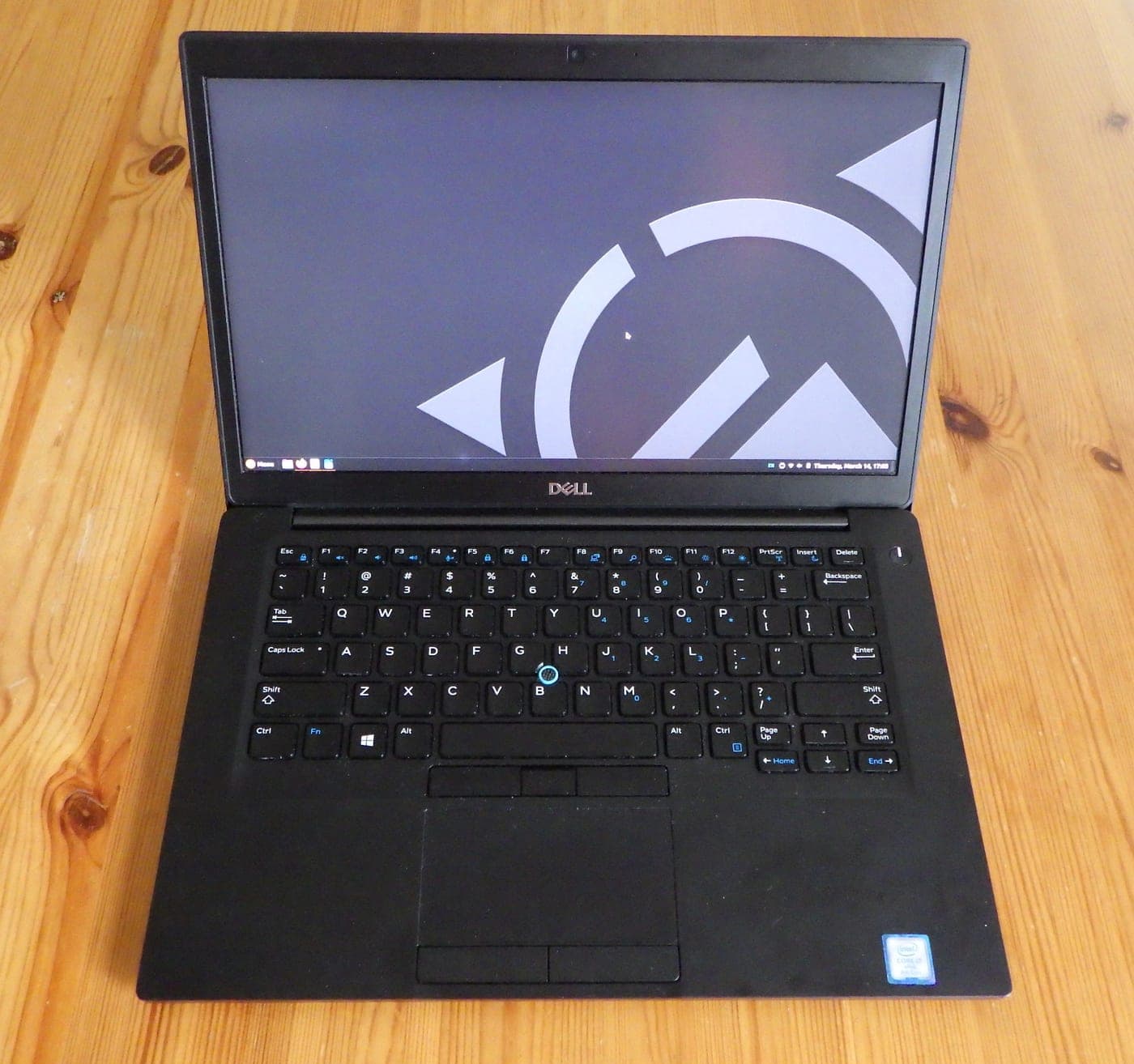
| Dell Latitude 5490 | 14 inches | Students and office workers | Practical business laptop with upgrade options |
| Dell Latitude 7490 | 14 inches | Writers and freelancers | Slimmer premium business design |
| HP EliteBook 840 G5 | 14 inches | Everyday work | Premium design and comfortable keyboard |
| HP EliteBook 840 G6 | 14 inches | Students and professionals | Refined business laptop with common 8th Gen configurations |
| Lenovo ThinkPad T480 | 14 inches | Programmers and writers | Comfortable keyboard and repair-friendly design |
| Dell Latitude 5400 | 14 inches | Office work and learning | Another practical family with 8th Gen options; our current catalogue listing is a Core i7 |
Important: Check the exact processor before buying. Some of these laptop families were sold with different processor generations and configurations. Choose a verified 8th Gen Core i5 version if that is what you want. The Latitude 5400's currently recorded Laptizo offer is an 8th Gen Core i7, so it is a comparison point, not a quoted Core i5 option.
The unlinked EliteBook 840 G5 and ThinkPad T480 are additional model-family suggestions, not current Laptizo seller listings. The T480 is also a different model from the T480s.
Also, don't choose a laptop just because the model name is popular. Compare its screen, battery health, RAM, SSD, and overall condition.
A well-maintained Dell Latitude 5490 can be a better purchase than a poorly maintained premium laptop.
How Much Should You Spend on an 8th Gen Core i5 in Pakistan?
This is where your budget becomes important.
In Pakistan's used laptop market, around Rs. 45,000–60,000 is a useful target to investigate, although premium models and better-equipped configurations can cost more.
Prices vary by city, seller, RAM, storage, battery condition, and warranty. A generation label does not put every laptop into a fixed price band. For example, Mega Computer's September 2026 guide groups 8th Gen Core i5 and Core i7 laptops together at Rs. 55,000–76,000; that broader grouping is not an exact quote for a particular Core i5 unit.
Here is how we would approach the purchase.
| Your budget | Laptizo's suggestion |
|---|---|
| Under Rs. 45,000 | Look for a good deal, but don't compromise on working condition just to get an 8th Gen |
| Rs. 45,000–55,000 | Compare a good 8th Gen Core i5 with any similarly priced 11th Gen offers |
| Rs. 55,000–65,000 | Compare 8th Gen and affordable 11th Gen offers; newer can sometimes be cheaper |
| Rs. 65,000–90,000 | Prioritize a good 11th Gen laptop where available |
| Rs. 90,000–120,000 | Start comparing 12th Gen models and newer options, checking whether actual quotes fit this budget |
| Above Rs. 120,000 | Consider newer used laptops or a new laptop with a proper warranty |
These are buying guidelines, not fixed market prices. Always compare actual listings before paying. You can browse laptops by price range to see the options in your budget.
A real Laptizo example: newer can cost less
Our recorded base offers show why generation alone should not determine your purchase:
| Recorded laptop and configuration | Seller | Listed price | Last verified | Recorded seller cover |
|---|---|---|---|---|
| Dell Latitude 5420, 11th Gen Core i5 / 8GB RAM / 256GB SSD, used | Iqra Traders | Rs. 51,000 | September 30, 2026 | 60-day checking warranty |
| HP EliteBook 840 G6, Core i5-8365U / 8GB RAM / 256GB SSD, used | NN Laptops | Rs. 60,500 | September 28, 2026 | 30-day checking warranty |
The newer-generation Dell is Rs. 9,500 less in these recorded offers. That does not make every Dell a better purchase than every HP. It means you should compare the actual price, configuration, display, condition, and seller terms before paying a premium for an older model. The Latitude 5420 seller states an 11th Gen Core i5, so confirm the exact processor SKU before buying.
These are dated catalogue observations, not a fresh stock check on October 20. Both offers describe 8GB base configurations; a 16GB upgrade needs its own confirmed seller quote. Open the product pages to check their latest recorded prices and availability.
Here's another example.
If you find an 8th Gen laptop for Rs. 50,000 and a similar 11th Gen laptop for Rs. 60,000, the newer laptop may be the smarter choice.
But if the 11th Gen option costs Rs. 90,000 and your budget is only Rs. 50,000, there's no reason to stretch your finances for work an 8th Gen laptop can already handle.
The goal is to buy the laptop you need, not the most expensive laptop you can afford.
When Should You Choose an 11th or 12th Gen Laptop Instead?
If you have a bigger budget, buying a newer laptop makes sense.
An 11th Gen Core i5 generally gives you newer graphics and better performance than a typical 8th Gen U-series processor.
A 12th Gen Core i5 can offer a bigger improvement, especially in multitasking, thanks to Intel's newer processor design.
But the exact processor model matters. A low-power chip and a high-performance chip from the same generation can behave differently.
Here are some alternatives to consider.
| Laptop model | Generation | Best for | Why upgrade? |
|---|---|---|---|
| Dell Latitude 5420 | 11th Gen Core i5 | Students, coding, office work | Newer processor and graphics |
| HP EliteBook 840 G8 | 11th Gen Core i5 | Professionals and freelancers | Modern business design and a newer platform |
| Lenovo ThinkPad T14 Gen 2 Intel | 11th Gen Core i5 versions | Developers and writers | Newer hardware in a familiar ThinkPad design |
| Dell Latitude 5430 | 12th Gen Core i5 versions | Developers and multitaskers | A newer processor platform for multitasking |
| HP EliteBook 840 G9 | 12th Gen Core i7 in our current listing | Professional work | Newer platform with 16GB DDR5 RAM and a 512GB SSD |
| Lenovo ThinkPad T14 Gen 3 Intel | 12th Gen Core i5 versions | Professional users | A newer option for more demanding daily work |
Availability and prices vary in Pakistan's used market. Verify the CPU, RAM, display, and battery condition rather than buying based on the generation alone. The unlinked T14 and Latitude 5430 models are additional families to research, not current Laptizo offers.
Our current EliteBook 840 G9 listing is a 12th Gen Core i7 at Rs. 145,000, last verified October 5, 2026. It is not a Core i5 quote and it does not fit a Rs. 120,000 ceiling. Compare the actual configuration and seller quote of any Core i5 G9 you find elsewhere.
Is an 11th Gen worth paying extra for?
For many people, yes.
If you're planning to use the same laptop for the next three or four years, an 11th Gen model gives you more room for newer software.
And if your budget allows a good 12th Gen laptop, it may be an even better long-term choice.
However, don't spend an extra Rs. 30,000–40,000 just to check emails, watch YouTube, and prepare documents.
What About Windows 11?
Another common question is whether 8th Gen Core i5 laptops support Windows 11.
Yes, supported 8th Gen Core i5 processors can run Windows 11 officially, provided the laptop also meets the other requirements, including TPM 2.0 and Secure Boot support.
So you don't have to avoid an 8th Gen laptop simply because of Windows.
Still, verify the exact processor and Windows 11 compatibility before buying a used unit. Consult Microsoft's supported Intel processor list and use PC Health Check on the actual laptop to check its eligibility.
Five Things to Check Before Buying an 8th Gen Laptop
An 8th Gen laptop could be eight years old or even older. At this age, the condition of the machine is extremely important.
Before paying, check these five things.
- Battery health: Don't trust a seller's claim of several hours of backup without testing it. Ask for a battery report and test it yourself if possible.
- RAM: Choose 16GB if you'll do programming, multitasking, or creative work. For basic study and office tasks, 8GB can still work.
- SSD: Avoid laptops that only have an old mechanical hard drive. An SSD makes everyday tasks feel much faster.
- Screen and keyboard: Look for dead pixels, bright spots, broken keys, loose hinges, and screen damage.
- Ports and warranty: Test charging, USB ports, Wi-Fi, speakers, and the camera. Confirm the checking warranty and return policy before buying.
Pay special attention to the display. Two laptops with the same processor can have very different screens. If possible, choose a Full HD IPS display over a low-resolution TN panel.
And here's one more tip: Don't buy an older Core i7 automatically thinking it must be faster. Compare the actual processor models first.
For a more detailed inspection, use our 10 things to check before buying a used laptop in Pakistan.
Laptizo Insights: What We Recommend After Market Research
After reviewing used laptop listings and available configurations in Pakistan, here is how Laptizo approaches the 8th Gen Core i5 buying decision.
1. A limited budget is a good reason to buy an 8th Gen.
If you only have around Rs. 45,000–55,000, there's nothing wrong with choosing a well-maintained 8th Gen business laptop for everyday work. Still check similarly priced 11th Gen offers before deciding.
2. RAM and SSD matter more than the Core i5 label alone.
We would often prefer a healthy 8th Gen laptop with 16GB RAM and an SSD over another older laptop with poor storage and only 4GB RAM.
3. Don't overpay for a premium-looking old laptop.
A thin metal body or fancy design doesn't always justify a higher price. Check what a newer-generation laptop costs before paying extra.
4. An 11th Gen is worth comparing when the price difference is small.
If a decent 11th Gen laptop costs only a little more than your chosen 8th Gen model, the newer option usually makes more sense. As our Latitude 5420 and EliteBook 840 G6 example shows, the newer option can sometimes even cost less.
5. For heavy work, save for better hardware.
If you already know you'll be editing videos, working in 3D, running demanding development tools, or gaming, avoid buying an underpowered laptop that you'll need to replace soon.
These are Laptizo's buying recommendations based on market-listing research and hardware requirements, not results from hands-on benchmark testing of every model.
Takeway: Should You Buy an 8th Gen Core i5 in 2026?
Yes, but only if the price is right and your work doesn't demand too much power.
For students, office workers, writers, freelancers, and beginner programmers in Pakistan, an 8th Gen Core i5 can still be a useful laptop in 2026.
It can handle the work many people do every day.
But if you're a professional video editor, 3D designer, serious gamer, or developer running heavy projects, look at newer hardware.
And if your budget isn't tight, consider an 11th or 12th Gen laptop. You'll generally get better performance and more room to grow.
At Laptizo, we believe the right laptop isn't always the newest one.
It's the one that does your work comfortably, fits your budget, and won't leave you regretting your purchase.
Ready to compare your options? Browse the laptop catalogue, explore laptop comparisons, or take the Laptop Finder Quiz for a shortlist based on your budget and needs.
Research Sources
- Laptizo laptop catalogueRecorded configurations, seller prices, conditions, and verification dates. The dated examples above use each offer’s own verification date.
- Mega Computer’s used laptop price guide(opens in a new tab)Additional market context; its September 2026 generation ranges combine different models and configurations.
- Microsoft’s supported Windows 11 Intel processors(opens in a new tab)Processor eligibility alongside the laptop’s other Windows 11 requirements.
- Android Studio installation and system requirements(opens in a new tab)Current requirements for both the IDE and emulator, including virtualization support, memory, and graphics.
- Adobe Premiere technical requirements(opens in a new tab)Recommended processor, RAM, GPU, storage, and operating-system requirements for editing workloads.